 PixDrive
Shows on a timeline
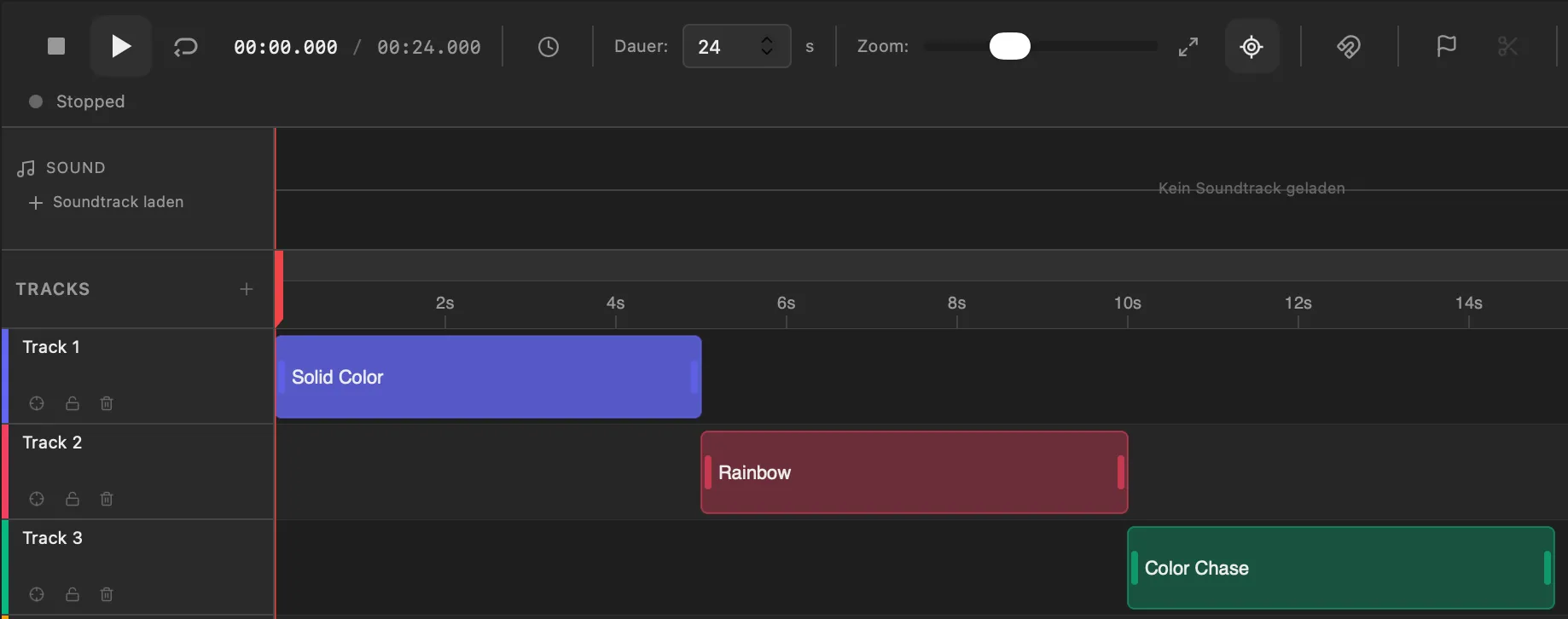
In the sequencer you place effects and timings on a precise timeline. What you see in the preview is exactly what runs on the LEDs.
Use case
Program your pixel show on a laptop, play it live over Art-Net or sACN and trigger looks and shows from your lighting console, QLab or Stream Deck.
Free demo · No registration · Mac & Windows
Typical projects
The situation
On tour and at events there is hardly any time to program on site. The show has to be ready beforehand, patched quickly at load-in and react on cue during the event – without someone clicking effects together on a laptop.
That is why PixDrive separates preparation from the show. In the office you build looks and sequences against the preview; on site you only connect the controllers. During the show, commands come from the console, QLab or a Stream Deck, and PixDrive executes them like a click in the app.
Features
In the sequencer you place effects and timings on a precise timeline. What you see in the preview is exactly what runs on the LEDs.
Mix effects live and save them as a look. Every look and every show automatically becomes a cue you start with a click or from outside.
Via OSC and REST, lighting consoles, TouchOSC, QLab, Ableton, Stream Deck or Bitfocus Companion trigger cues, start playback and set the master brightness.
In the script engine your Lua effect reads bass, mids, highs and detected beats from the microphone – for strobes on the kick or colours that pump with the bass.
Real-world example
24 pixel bars, 1 m each with 60 RGB pixels, hang on an 8-port controller, three bars per port. That makes 180 pixels per port – and that is the trap: 180 pixels need 540 channels, so two universes per port. The second one carries only 10 pixels.
With at most 170 pixels per port you get by with 8 universes – half as many for almost the same pixel count. Run variations like this through the DMX universe calculator before load-in.
Open in the DMX calculatorFrom practice
Numbers shift as soon as you add or reorder presets. With names like “Intro” or “Drop”, your console mapping stays stable.
A show cue loads its sequence and starts from the top. To come in mid-song, jump to the right spot with /pixdrive/playback/position afterwards.
Map /pixdrive/brightness to a fader in TouchOSC or on the console. That way you pull the pixels together with the rest of the lighting without touching the laptop.
Pixel data belongs on its own network or VLAN, separate from audio, video and guest Wi-Fi. That keeps latency and packet loss low.
More use cases
Plan light shows for facades and permanent installations, then play them straight from the controller without a computer.
Light-up house, shop window or trade fair booth: build the show and play it standalone from an SD card.
Drive ESP32 and WLED over Art-Net or sACN, write your own effects in Lua and play shows from an SD card.
Get started
The demo runs with no time limit and no registration. Test live effects, LED layout and the script engine with one device and one universe.
macOS 12+ · Windows 10 / 11 · No account required