 PixDrive
WLED over Art-Net and sACN
WLED receives Art-Net and sACN (E1.31). PixDrive sends the pixel data in real time, so you see every change on the LEDs right away.
Use case
Drive your ESP32 and WLED controllers over Art-Net or sACN, write your own effects in Lua and play finished shows from an SD card.
Free demo · No registration · Mac & Windows
Typical projects
The situation
WLED is ideal to get started: flash the ESP32, connect a strip, pick an effect. But once you build your own matrix, want an effect that does not exist yet or need several controllers to play together, it gets tight.
PixDrive then takes over the rendering on your computer and sends the finished pixels to WLED over Art-Net or sACN. You write effects in Lua and see them on the LEDs right away. If the controller should later run on its own, you export the show to an SD card on the ESP32.
Features
WLED receives Art-Net and sACN (E1.31). PixDrive sends the pixel data in real time, so you see every change on the LEDs right away.
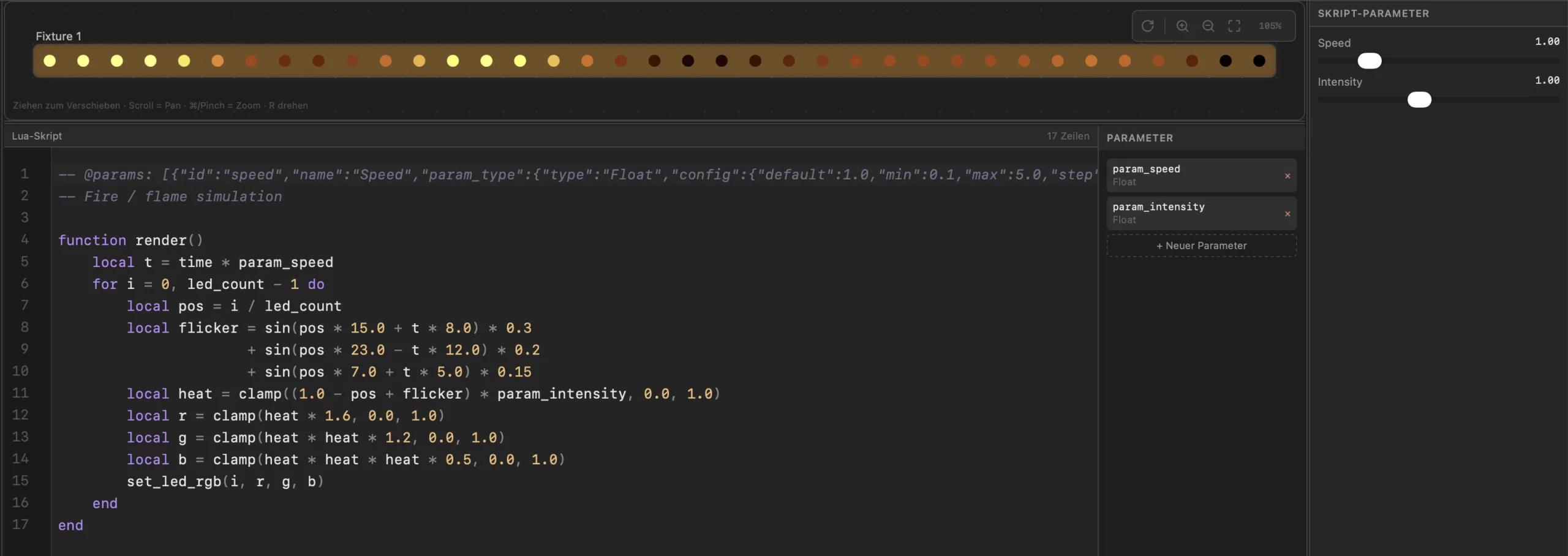
The script engine runs Lua 5.4. You create parameters as sliders and tweak them live; from 1,024 LEDs up, PixDrive spreads the work across up to eight cores.
With the PixDrive firmware for WLED and an SD card board, your ESP32 plays shows as .wled files without a computer. Upload via drag & drop at http://<WLED-IP>/pixdrive; the usermod is open source.
Home Assistant, Node-RED or your own scripts control PixDrive via REST and OSC. Through the MCP server, an AI assistant such as Claude or Cursor can join in too.
Real-world example
Two 16 × 16 panels with WS2812B make a 512-pixel matrix on an ESP32 running WLED. In the “Multi RGB” DMX mode WLED packs 170 pixels into a universe, so the matrix uses sACN universes 1 to 4.
The fourth universe carries only two pixels. That costs no frame rate, but you still have to count it in WLED and PixDrive – otherwise the last two LEDs stay dark.
Open in the DMX calculatorFrom practice
In WLED under Config → Sync Interfaces, enable E1.31 or Art-Net reception, enter the start universe and choose “Multi RGB” as the DMX mode.
Calculate motion with delta, the seconds since the last frame. Then your effect runs at the same speed whether at 30 or 60 frames per second.
The “LLM” button in the script editor copies the complete script API to the clipboard. Paste it into an AI chat, describe the effect and take over the code.
In the demo the script engine is fully usable, but scripts may be at most 20 lines long. The example above fits easily.
More use cases
Program pixel shows on your laptop, play them live over Art-Net or sACN and trigger them from the lighting console.
Plan light shows for facades and permanent installations, then play them straight from the controller without a computer.
Light-up house, shop window or trade fair booth: build the show and play it standalone from an SD card.
Get started
The demo runs with no time limit and no registration. Test live effects, LED layout and the script engine with one device and one universe.
macOS 12+ · Windows 10 / 11 · No account required