Skip to content
PixDrive

Modes

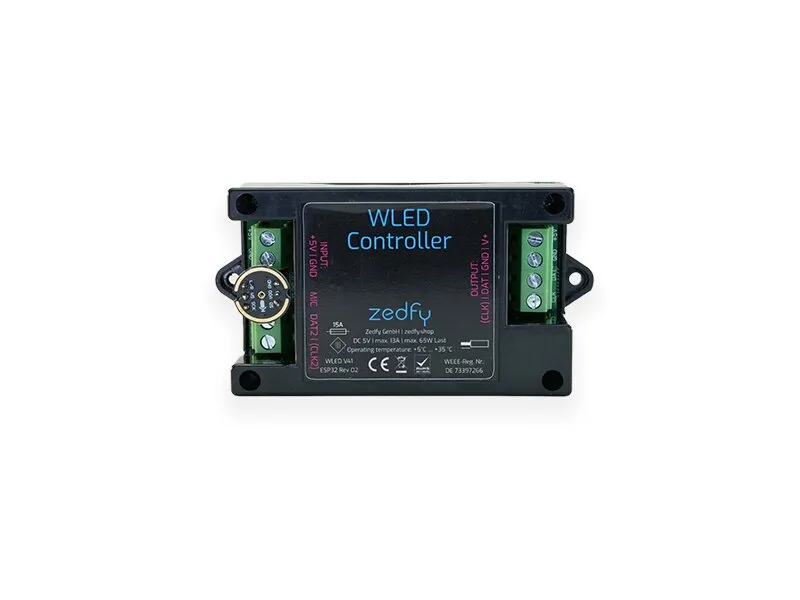
How PixDrive drives the Zedfy WLED Controller

Live with PixDrive Studio

Live over Art-Net

PixDrive Studio streams the pixel data to the controller in real time. Good for shows you run live or control via OSC and REST.

  1. 1In the WLED interface, go to Settings → Sync Interfaces, enable realtime receive and choose Art-Net as the type
  2. 2Set the start universe and start address
  3. 3In PixDrive Studio, add the controller as an Art-Net device with its IP address
Live with PixDrive Studio

Live over sACN (E1.31)

Same idea with sACN – unicast to the controller’s IP, or multicast when several receivers listen to the same universes.

  1. 1In WLED, go to Settings → Sync Interfaces and choose E1.31 (sACN) as the realtime type
  2. 2Set the start universe
  3. 3In PixDrive Studio, add an sACN device and assign the universes
Live with PixDrive Studio

Live over TPM2.NET

A lean UDP protocol without universe handling: PixDrive sends all pixels of a device to the controller in one go.

  1. 1In WLED, go to Settings → Sync Interfaces and enable UDP realtime receive (TPM2.NET arrives on port 65506)
  2. 2In PixDrive Studio, add a TPM2.NET device with the controller’s IP address
No computer

No PC, straight from the SD card

With the Zedfy ZW-SD board the controller reads animations from a microSD card. The pins are already set for it. Every WLED segment can loop its own animation.

  1. 1Export the show from PixDrive Studio as a .wled file
  2. 2Open http://<WLED-IP>/pixdrive in the browser and upload the file
  3. 3In WLED, give a segment the PixDrive effect and enter the file path as the segment name, e.g. /pixdrive/show.wled

Specifications

At a glance

Manufacturer
Zedfy GmbH, Berlin
Article number
C012
Processor
ESP32
Firmware
WLED (factory); SD playback needs WLED 0.15.5 with the PixDrive extension
Live control
Art-Net, sACN (E1.31), TPM2.NET
Playback without a PC
.wled files from microSD (Zedfy ZW-SD board)
LED outputs
2 with clock or 4 without clock
Pixels
1,024 per output, up to 4,096 possible
LED chips
WS2811, WS2812B, WS2813, WS2815, WS2814, WS2805, SK6812, SK6805, SK9822, APA102, WS2801, LPD8806, GS8208, TM1814
Power supply
5–24 V DC, up to 13 A continuous (depending on wire gauge)
Network
Wi-Fi 2.4 GHz (802.11 b/g/n); Ethernet with adapter
Audio input
optional: microphone (INMP441) or jack
Connectors
screw terminals, 0.5–2.5 mm²
Dimensions
78 × 46.5 × 22 mm
Operating temperature
+5 to +35 °C

Get started

Test PixDrive with the Zedfy WLED Controller

The demo runs with no time limit and no credit card – on Mac and Windows. One device and one universe are enough to try it.

macOS 12+ · Windows 10 / 11 · No credit card required